[태그:] Ipsum

  • Images, Cover, MediaText & Galleries (with Lightbox)

    Images, Cover, MediaText & Galleries (with Lightbox)

    Simple Images (links to original images)

    These are simple images with default filters and caption options. They can optionally link to their individual image attachment pages. You can also customize the captions to add more context or information about each image. Images are automatically responsive, ensuring they look great on any device.

    Click this link to see Image Alignment in action.

    Image with WP’s Duotone filter applied to it!
    Portrait Crop (Cover)
    A Rounded Image

    You can even have them open in a lightbox by default (available in Premium Feature) like this one:
    (oh, in case you didn’t notice, we aligned the image to ‘Full Width‘ just so that it looks pretty!)

    Clicking me will open the image in a Lightbox by default (available in Premium) by default

    Galleries with Lightbox (available in Premium)

    Galleries are a great way to display collections of images in a clean and engaging format. They can showcase anything from photography to product displays. Below are some examples of galleries that demonstrate how images can be beautifully organized and presented. Take a look and see how galleries can enhance your visual storytelling.

    Clicking on the image opens it in a lightbox by default (Premium Feature)

    Or maybe a smoother group of circular images.
    Circular galleries add a modern and creative touch, making your images stand out. They’re perfect for showcasing profile photos, team members, or anything that benefits from a unique shape. Circular image galleries also help break away from traditional layouts, adding variety to your design. With the right spacing and alignment, they create a clean, minimalist look that draws attention to each individual image.

    Links can open in Lightbox as well!

    Finally, you can also have image links open in a lightbox (available in Premium) like a link to this image. Whats more, you can also open Youtube and Vimeo videos like a link to this Youtube Video

    Cover

    A Cover block is a highly versatile block which can be used to create interesting layouts and patterns. It highlights certain sections of your content and calls attention to important Call to Action buttons. The possibilities are endless.

  • Image Alignment

    Image Alignment

    Welcome to image alignment! The best way to demonstrate the ebb and flow of the various image positioning options is to nestle them snuggly among an ocean of words. Grab a paddle and let’s get started.

    The image above happens to be centered.

    Image Caption

    The rest of this paragraph is filler for the sake of seeing the text wrap around the 150×150 image, which is left aligned. As you can see there should be some space above, below, and to the right of the image. The text should not be creeping on the image. Creeping is just not right. Images need breathing room too. Let them speak like you words. Let them do their jobs without any hassle from the text. This arrangement creates a visually pleasing layout. Maintaining proper spacing ensures clarity and professionalism in design. When text and images harmonize, the overall message becomes more impactful. In about one more sentence here, we’ll see that the text moves from the right of the image down below the image in a seamless transition. This balance between text and imagery enhances readability and keeps the viewer engaged. When elements are well-spaced, they guide the reader’s eyes naturally through the content. Crowded layouts can feel overwhelming, while thoughtful spacing creates a sense of order and elegance. Always remember, the right balance makes a design not just functional, but visually appealing too.

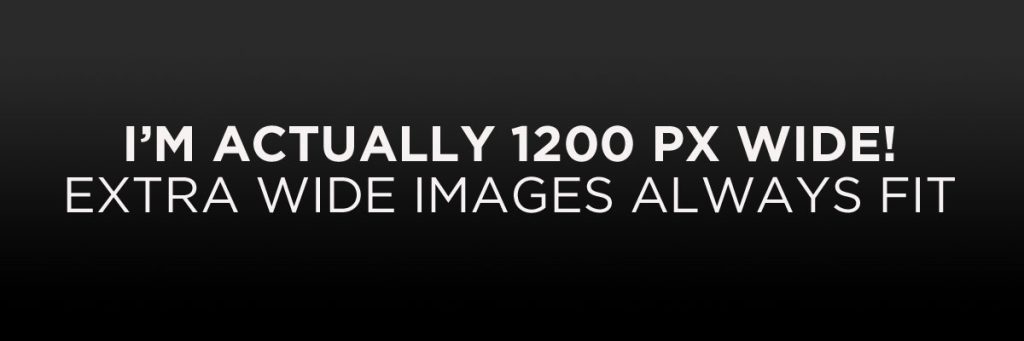
    And now for a massively large image. It also has no alignment.

    The image above, though 1200px wide, should not overflow the content area. It should remain contained with no visible disruption to the flow of content.

    And now we’re going to shift things to the right align. Again, there should be plenty of room above, below, and to the left of the image. Just look at him there… Hey guy! Way to rock that right side. I don’t care what the left aligned image says, you look great. Don’t let anyone else tell you differently. The text should not be creeping on the image. Creeping is just not right. Images need breathing room too. Let them do their jobs without any hassle from the text where they can just ‘hang’ the way they were meant to.

    In just a bit here, you should see the text start to wrap below the right aligned image and settle in nicely. There should still be plenty of room and everything should be sitting pretty. Yeah… Just like that. It never felt so good to be right. Or maybe it did, we can’t really say to that. Again, letting it do it’s thing and do it’s thang. You know how that goes. Mission accomplished! A job well done. Aye aye Mister, what else can we say really.

    Images With Captions

    And just when you thought we were done, we’re going to do them all over again with captions!

    Look at 580×300 getting some caption love.

    The image above happens to be centered. The caption also has a link in it, just to see if it does anything funky.

    Full Width Alignments

    Lets check some of the full width alignments. How they appear and differ from each other. Below we have a “normal” center aligned image compared to a wide and full aligned images. These images are always stretched to the full available width, so make sure you are using a big enough image to not make them look blurry.

    Do note that wide and full alignment on images is noticeable only when the page layout does not have a sidebar!

    Click here to see
    Regular Center Aligned Image
    This is a Wide aligned image
    This is a Full aligned image
  • Testing Comments (Paginated)

    Testing Comments (Paginated)

    This post tests nested and paginated comments.

    Proin pretium, leo ac pellentesque mollis, felis nunc ultrices eros, sed gravida augue augue mollis justo. Vestibulum eu odio. Vestibulum dapibus nunc ac augue.. Curabitur suscipit suscipit tellus. Proin pretium, leo ac pellentesque mollis, felis nunc ultrices eros, sed gravida augue augue mollis justo. Fusce fermentum odio nec arcu. Aliquam erat volutpat. Ut leo. Vivamus euismod mauris. Praesent metus tellus, elementum eu, semper a, adipiscing nec, purus. Ut tincidunt tincidunt erat. Etiam feugiat lorem non metus. Pellentesque egestas, neque sit amet convallis pulvinar, justo nulla eleifend augue, ac auctor orci leo non est. Vestibulum suscipit nulla quis orci.

    Convallis purus ornare sollicitudin massa cubilia fusce augue congue, dictumst est potenti quam tristique magnis conubia vehicula, nullam mollis pellentesque viverra dui praesent tempor. Iaculis elementum dis cursus montes pretium curabitur, eleifend et cum leo lacus in, natoque neque eros malesuada sodales.

    Faucibus massa metus pretium auctor litora eu, consequat sodales rutrum porttitor vulputate nulla eros, augue quisque quam egestas fermentum. Cras nisi tristique aptent porttitor molestie netus nascetur etiam, placerat pretium condimentum accumsan lobortis iaculis ut nulla, urna euismod tempor vivamus feugiat dis pharetra. Rutrum natoque egestas leo sociis dictumst vehicula a ridiculus aenean curae laoreet tortor, ornare non imperdiet montes facilisis pharetra est aptent aliquam taciti. Est dapibus tempus mauris habitant risus in netus duis ultrices eget malesuada dictumst mollis, nulla tincidunt torquent tortor maecenas bibendum etiam dis pellentesque sagittis vivamus. Dis duis malesuada curae gravida dictumst in faucibus porta netus congue accumsan, tellus mi commodo luctus habitasse leo dapibus id nullam natoque.

  • A Paginated Post

    A Paginated Post

    Curabitur suscipit suscipit tellus. Etiam ut purus mattis mauris sodales aliquam. Praesent egestas neque eu enim. Cum sociis natoque penatibus et magnis dis parturient montes, nascetur ridiculus mus.

    Etiam imperdiet imperdiet orci. Nullam nulla eros, ultricies sit amet, nonummy id, imperdiet feugiat, pede. Sed augue ipsum, egestas nec, vestibulum et, malesuada adipiscing, dui. Donec mollis hendrerit risus. Nam pretium turpis et arcu. Sed aliquam ultrices mauris. Praesent venenatis metus at tortor pulvinar varius. Fusce pharetra convallis urna. Praesent blandit laoreet nibh. Sed lectus.

    Fusce vulputate eleifend sapien. Donec venenatis vulputate lorem. Phasellus tempus. Nam eget dui. Cras id dui. Ut tincidunt tincidunt erat. Praesent ac massa at ligula laoreet iaculis.

    페이지: 1 2 3

  • 보호된 글: Protected: Password Protected (the password is “enter”)

    보호된 글: Protected: Password Protected (the password is “enter”)

    이 콘텐츠는 비밀번호로 보호되어 있습니다. 이 콘텐츠를 보려면 아래에 비밀번호를 입력해주세요.

광고 차단 알림

광고 클릭 제한을 초과하여 광고가 차단되었습니다.

단시간에 반복적인 광고 클릭은 시스템에 의해 감지되며, IP가 수집되어 사이트 관리자가 확인 가능합니다.